
How to Use ScrollCheckpoint
Follow this quick setup guide to configure your mindful scroll alarms, customize checkpoints, and start building healthier digital habits today.
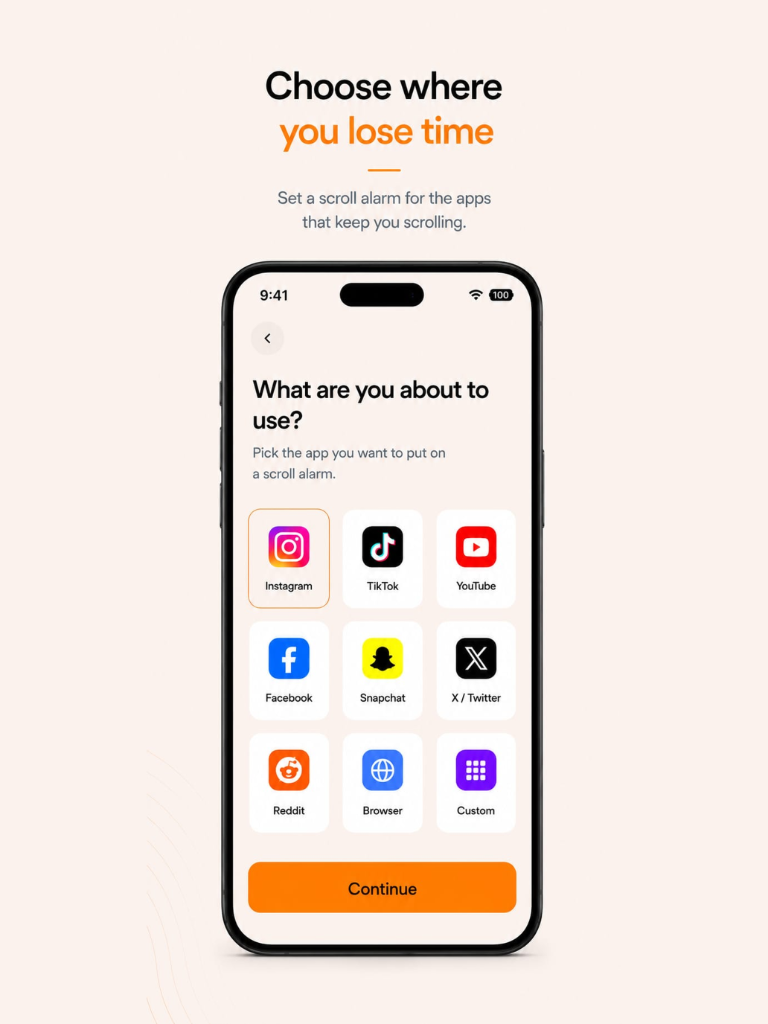
Choose Where You Lose Time
Start by configuring your alarm parameters. Tap Start Scroll Alarm and select the apps that keep you scrolling. You can select single apps or configure multiple targets:
- Target App Lists: Choose from popular platforms like Instagram, TikTok, YouTube, Snapchat, Facebook, Reddit, or the browser.
- Custom Configuration: Set limits on custom apps of your choice.
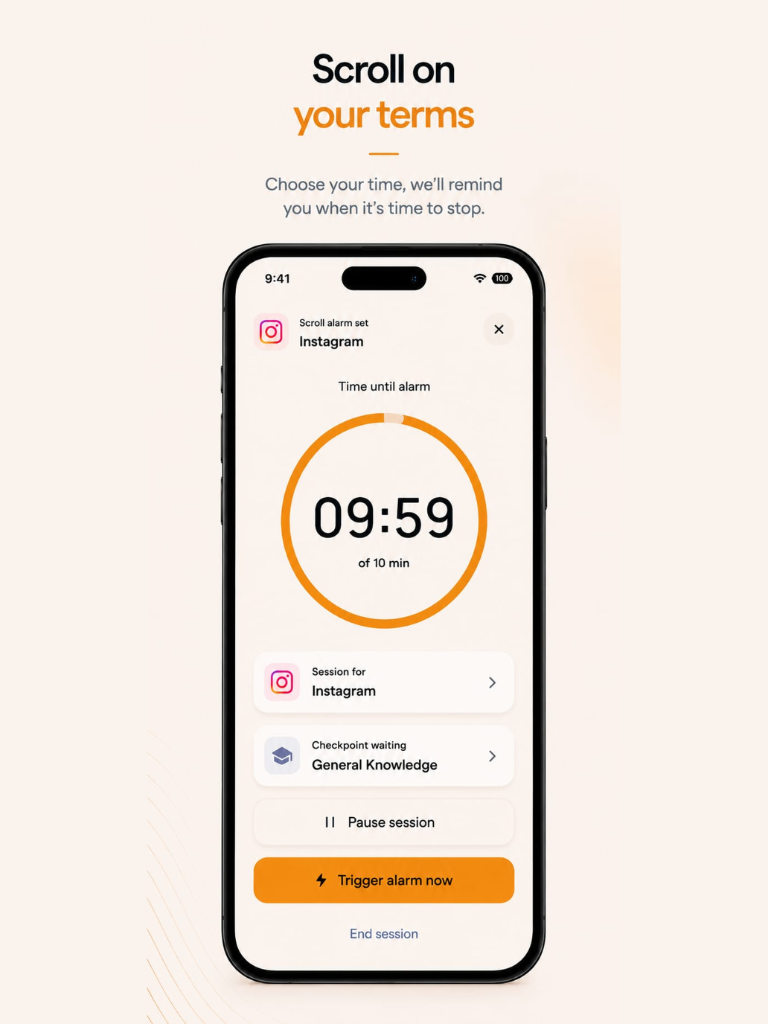
Scroll on Your Terms
Configure your session duration to allocate mindful browsing segments (e.g. 10 minutes) before the alarm sounds:
- Time Tracking: Watch your time remaining inside the app or trust the background monitor.
- Flexibility: Pause your active session or trigger the checkpoint immediately if you need an early break.
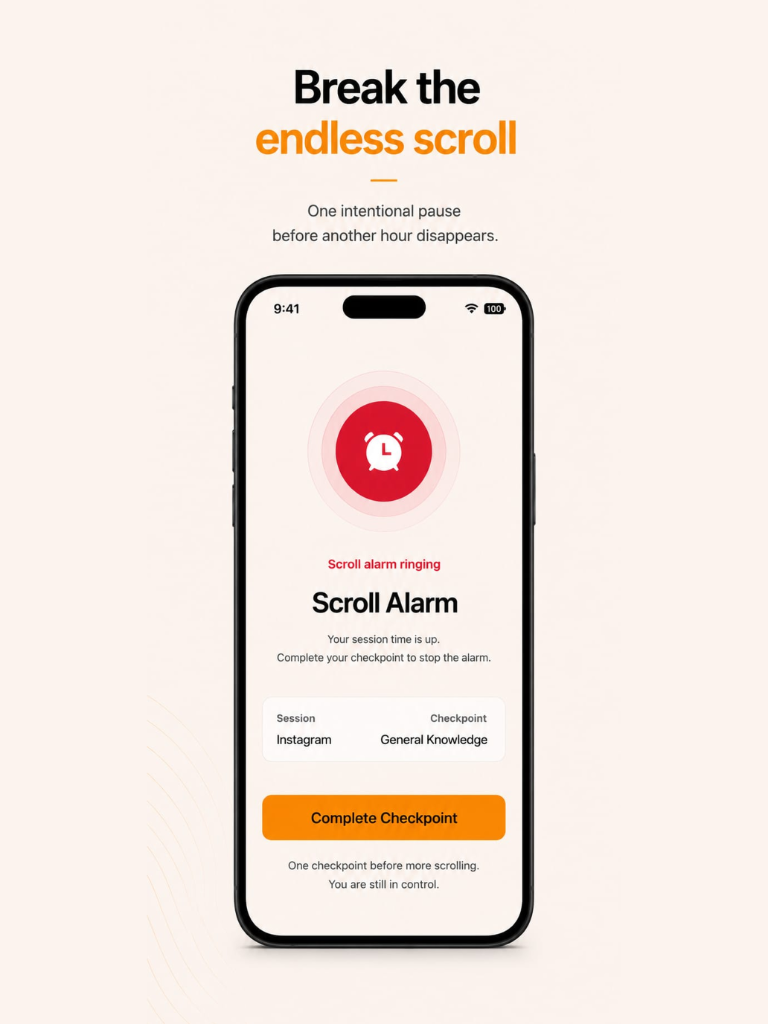
Break the Endless Scroll
When your set time runs out, ScrollCheckpoint securely interrupts your social media feed with a full-screen alarm ringing overlay:
- Intelligent Interruption: Native Apple Screen Time permissions trigger a temporary block, keeping you from sliding back into scrolling.
- Unified Escape: Tap Complete Checkpoint to launch the mindfulness task.
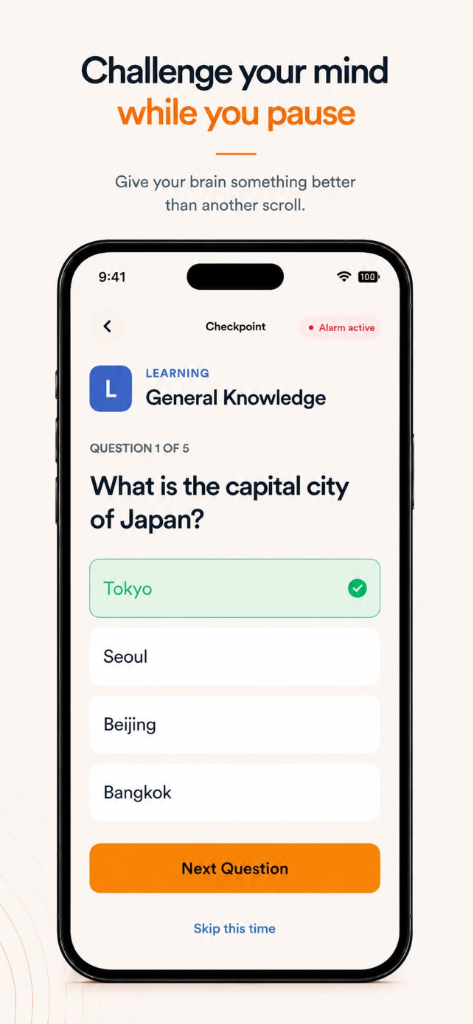
Challenge Your Mind While You Pause
Dismiss the alarm by interacting with one of our focus challenges. Under the Learning category, test your knowledge to engage your analytical brain:
- General Knowledge Quizzes: Answer quick multiple-choice questions (e.g., trivia, history, geography) to shift your cognitive attention.
- Mindful Reset: Engaging with a challenge helps reset your focus before deciding to resume scrolling.
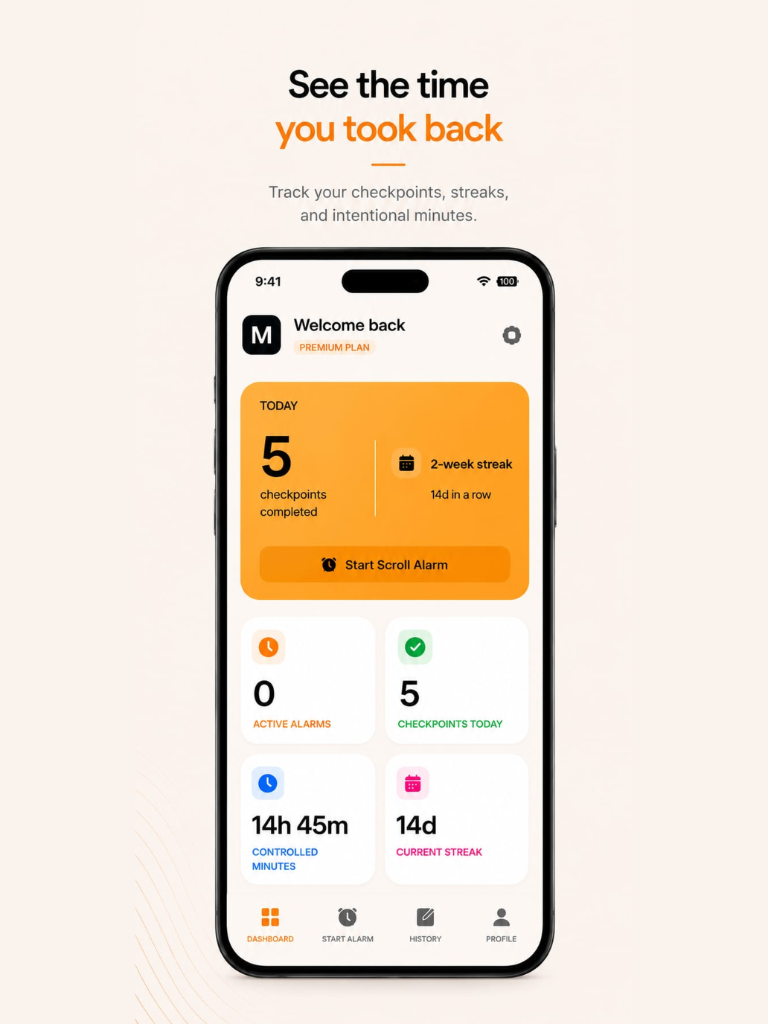
See the Time You Took Back
Track your stats, active alarms, and progress in real-time on your dashboard:
- Controlled Minutes: See the exact hours and minutes of screen time you successfully saved.
- Daily Streaks: Stay motivated by maintaining a daily streak of mindful checkpoints.
Explore Checkpoint Types
Choose the checkpoint that fits your mood and focus goals.
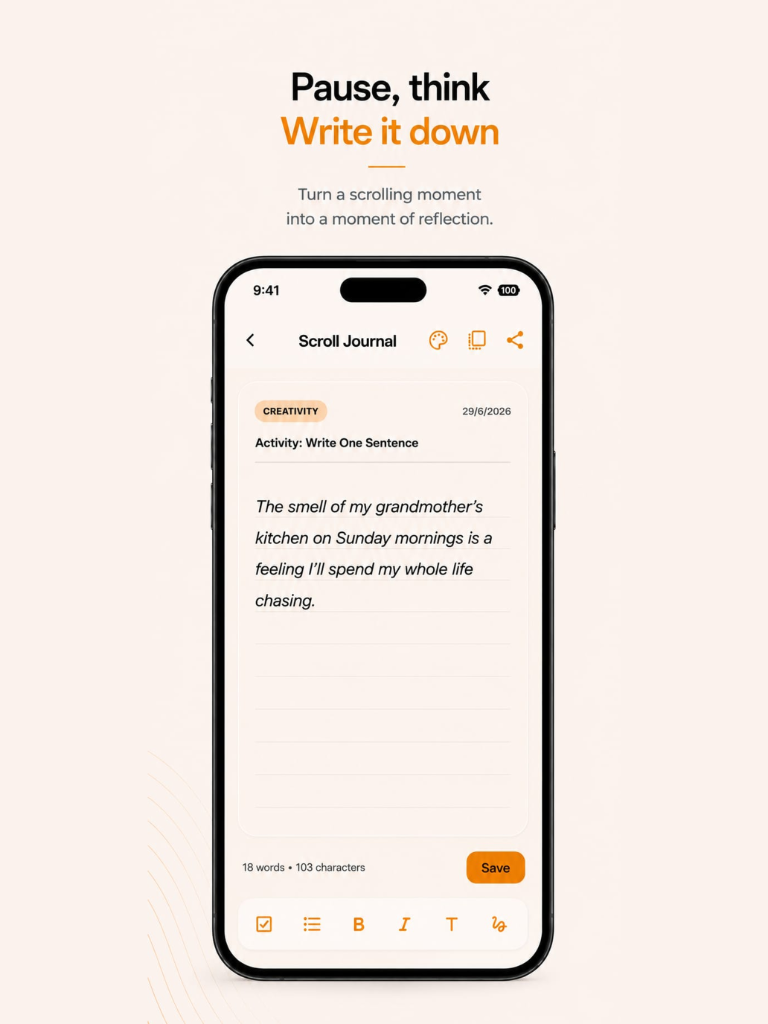
Pause, Think, and Write it Down
Use the built-in Slate Journal to jot down thoughts, intentions, or daily goals. Writing your thoughts down translates browsing impulses into active self-reflection:
- Private Logging: All journal entries are kept fully secure, private, and encrypted locally on your iPhone.
- Prompts & Creativity: Write a single sentence or a longer log to document your digital usage habits.
Box Breathing
Follow a relaxing visual guide for a 4-second box-breathing cycle (inhale, hold, exhale, hold) to bring your awareness back to the physical room.
Thought Prompts
Read and reflect on gentle, intention-setting questions such as: "What was I hoping to find when I opened this app?" or "Is this scroll helping me relax?"
Educational Bites
Learn interesting facts and quick takeaways about dopamine loops, app design tricks, and the science behind cognitive attention and habits.
Slate Journaling
Briefly type down your emotional state, feelings, or thoughts to build mindfulness and stop automatic impulses.
Frequently Asked Questions
Find answers to common questions about setting up permissions and features.
1. You have granted Screen Time permissions during the onboarding or Profile setup.
2. ScrollCheckpoint is running in the background.
3. You have active limits configured for the specific app category you are using.
Ready to break the doomscroll cycle?
Download ScrollCheckpoint today and reclaim your time, attention, and wellness.